How To Choose The Right Squarespace Template For Your Business

Thinking about finally building your Squarespace website*, but not sure which template to pick? You’re not alone! With so many beautiful options available, it can feel a little overwhelming trying to decide which one is perfect for you. There are sooo many designs that look professional and polished, but they all have slightly different layouts, structures, and built-in features that can impact how your website looks, functions, and even how it converts visitors into customers.
The Squarespace template you choose is more than just a visual preference. It’s the foundation for your entire online presence. It determines how your content is laid out, how your images are displayed, and how visitors navigate through your pages. The right template should not only reflect your brand’s personality but also help your business achieve its goals. Whether you’re a service provider wanting clients to book with you, a photographer showing off your portfolio, or a small business owner selling products, your template choice can make a big difference in how your audience experiences your brand.
In this article, I’ll walk you through how to choose the perfect Squarespace template for your specific business, goals, and overall aesthetic. By the end, you’ll have a clearer understanding of what to look for, what to avoid, and how to confidently pick a design that you can grow with for years to come.
Let’s dive in! ✨
*This post contains affiliate links. I earn a small commission when you click on the links and make a purchase. This comes at no additional cost to you. Affiliate links are marked with an asterisk.
→ Choose a Squarespace Template That Fits Your Business Goals
Before you even think about the design, ask yourself: What do I need my website to do? Are you trying to book clients? Sell digital products? Build credibility? Showcase a portfolio? Your business goals will guide everything else, including your layout, navigation, and which pages you’ll need.
FOR EXAMPLE:
A photographer will want a clean, gallery-style layout that highlights imagery front and center
A law firm might need a more structured layout with strong calls to action and clear practice area pages
A coach or consultant will want an approachable, personality-driven layout with testimonials and booking buttons. If you’re building a coaching website, my Core Movement template is a great fit!
The clearer you are on your goals, the easier it will be to choose a template that naturally fits what you’re trying to accomplish.
→ Focus on Structure, Not Just Colors and Fonts
Here’s the thing: colors, fonts, and photos are the easiest parts to change. The structure is what really matters.
When browsing templates, pay attention to:
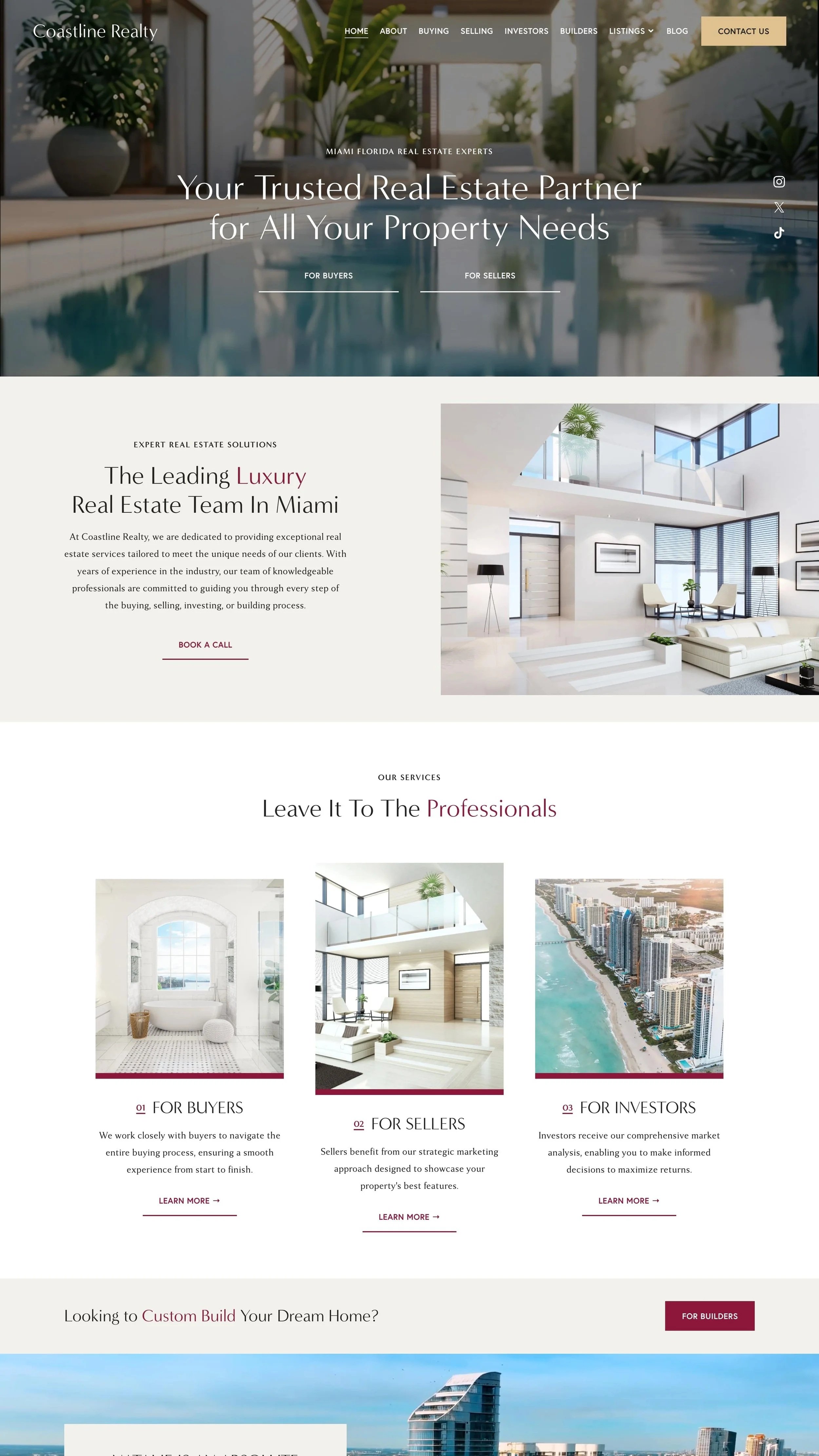
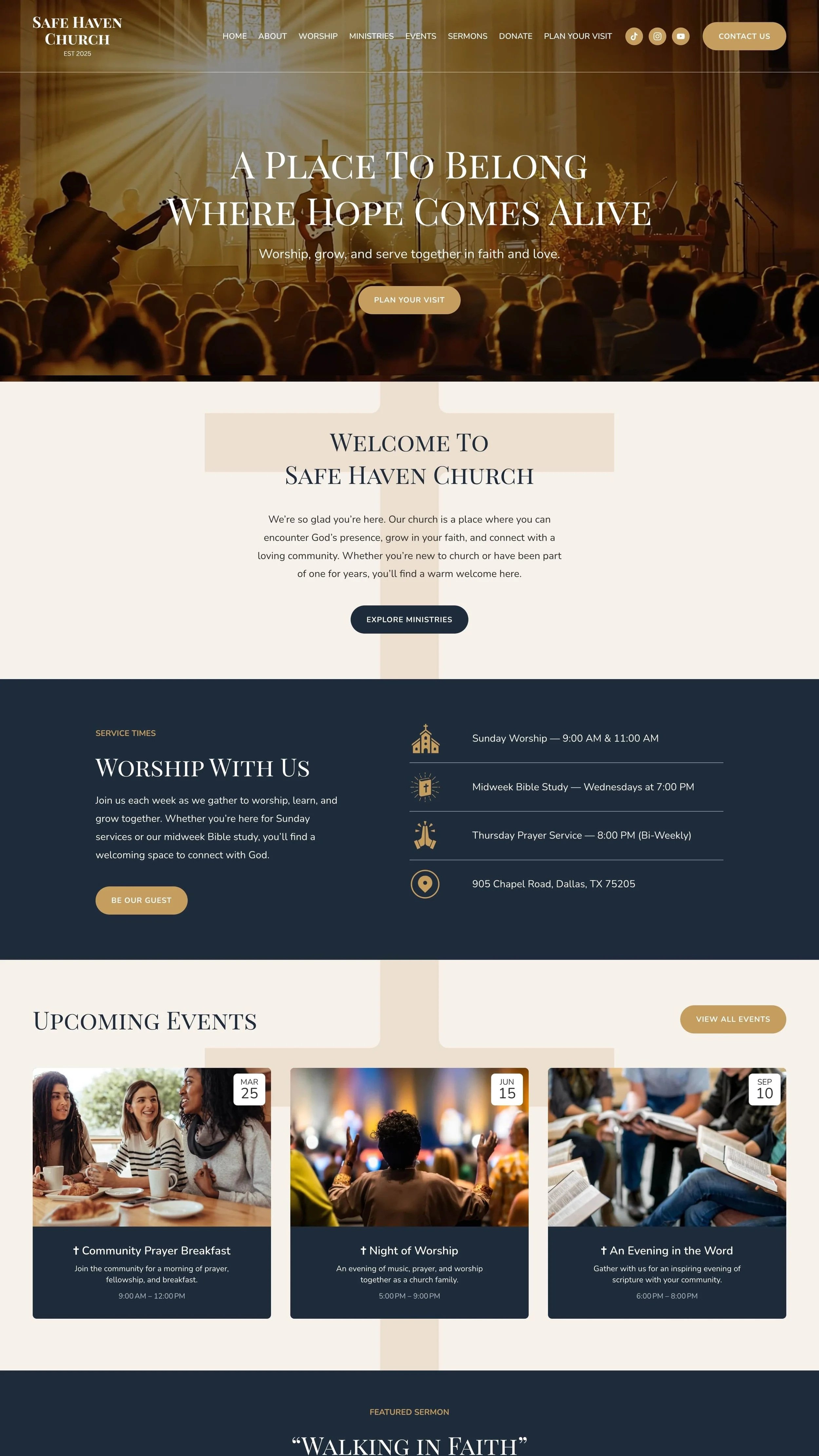
Section layout: how text and images are arranged on the homepage
Page hierarchy: how easy it is to move from one section to the next
User journey: how people find what they’re looking for within your website
Call-to-action placement: how visible your main buttons are throughout the page
Content balance: how much space is dedicated to text versus imagery
Homepage focus: what visitors see first when they land on your site and whether it leads them toward your main goal
If a demo site looks nothing like your brand but you love how it’s laid out, that’s probably a great sign! I’ve seen so many people dismiss a strong template because “it’s not my color palette,” when really, that’s the easiest thing to edit in Squarespace.
→ Pick a Squarespace Template That Fits Your Industry
Certain templates lend themselves naturally to specific industries. For example:
Law Firms & Agencies: Look for structured, content-heavy designs that feel professional and trustworthy
For law firms or agencies, structured layouts like my Legal Edge template perform really well
Coaches, Therapists, or Service Providers: Templates with a personable layout, strong calls to action, and clean “About” sections work beautifully
Creative Businesses & Studios: Go for bold visuals, overlapping layouts, and image-forward hero sections
Product-Based Businesses: Choose templates built with store pages and product grids in mind
That said, don’t get too hung up on the industry of the demo site. I’ve built law firm websites using “photography” templates and wellness brands using “agency” templates. What matters is the structure, not the label.
→ Choose a Squarespace Template That Looks Great on Mobile
Over half of all visitors will view your website on a phone. So before you commit, always click through the mobile preview.
Ask yourself:
Do sections stack cleanly without awkward spacing?
Is the text still readable without zooming in?
Are buttons easy to tap?
Squarespace 7.1 templates are all usually responsive, but some layouts still look cleaner on mobile than others. You want a site that’s just as impressive on a small screen as it is on a desktop.

→ Choose a Template That’s Easy to Edit and Maintain
One of the biggest perks of Squarespace is that you can easily make changes yourself. But not every layout is equally simple to manage.
If you’re the kind of person who likes to make small updates on your own, look for a template that feels simple and well organized. You want something with clearly defined sections, clean layouts, and room for your content to grow.
PRO TIP: Stick with layouts that use standard Squarespace sections rather than heavily customized code that could make editing difficult later. My templates include light, intentional CSS to enhance the design but never in a way that interferes with how you update or manage your site. Everything is still fully drag-and-drop and easy to edit right inside Squarespace.
Easily customize your template with drag-and-drop sections and style settings right inside the Squarespace dashboard ✨
→ Look for Templates That Encourage Clicks + Conversions
A beautiful website means nothing if it doesn’t lead visitors to take action.
When reviewing templates, look for:
Clear, visible buttons (like “Book Now” or “View Services”)
Prominent contact sections
Simple paths for users to get where you want them to go
I always tell my clients: if a visitor has to think too hard, they’ll leave. A great template gently guides them toward the next step without confusion.
→ Don’t Overthink It
I promise, there’s no such thing as the perfect Squarespace template. Once you understand that the visuals are flexible, it takes a ton of pressure off.
Pick a template that feels close to your ideal structure and go from there. You can always adjust colors, images, and sections later (and believe me, you will!).
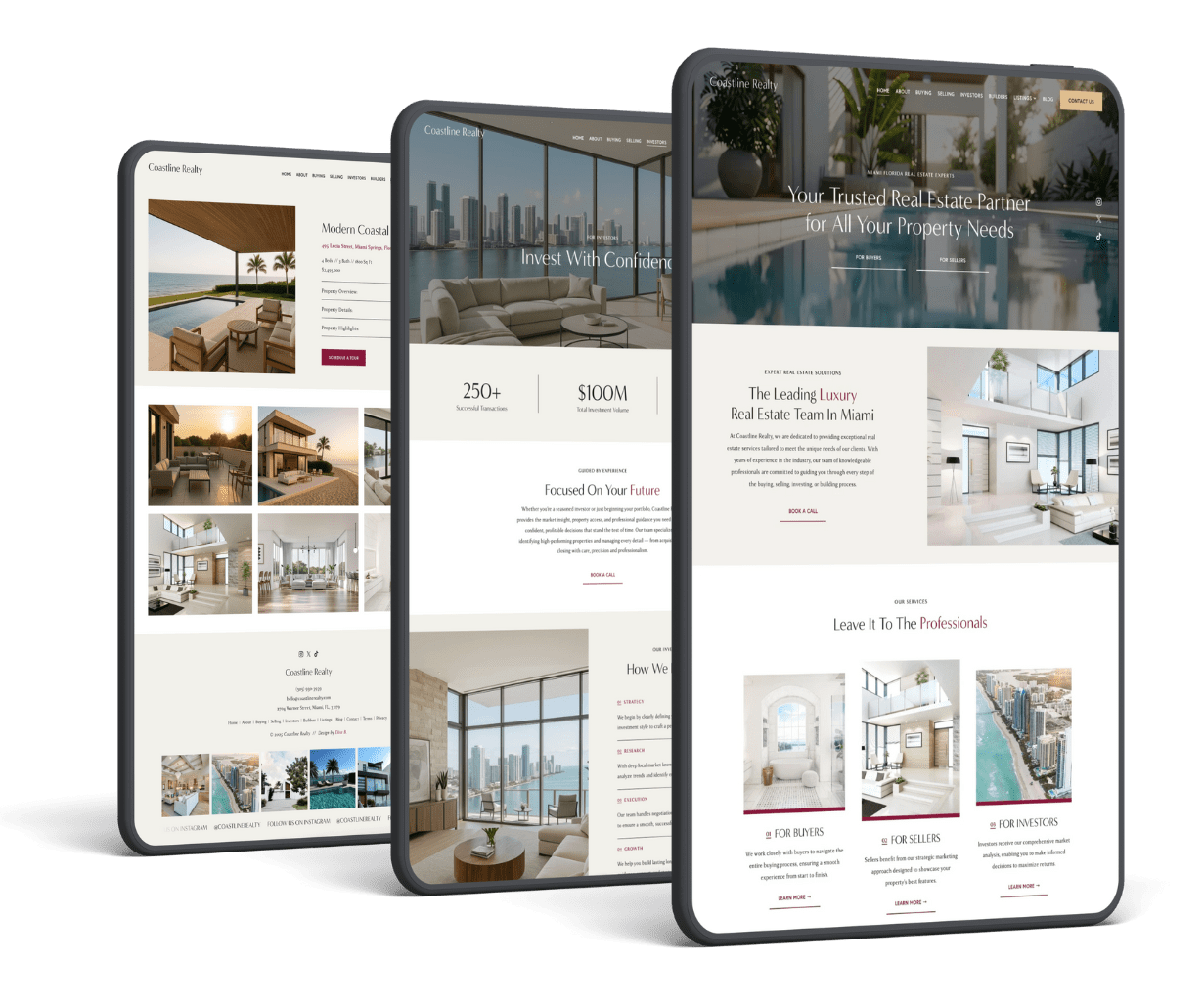
If you ever find yourself completely stuck, I’ve created a variety of premium Squarespace templates for different business types, all tested for performance, SEO, and the very best user experience.
💻 Ready To Find Your Perfect Template?
Hey there! 🙋♀️ I’m Elise! An Expert Squarespace Designer and SEO Consultant. I’ve designed hundreds of custom websites for businesses across the globe and created a full library of Premium Squarespace Templates to help you get a professional, high-converting website at a fraction of the price of custom web design.
Browse my Squarespace Template Shop to find your perfect match, or check out my One-Day Semi-Custom Website Design Service if you’d like me to handle the setup for you.
Whichever route you take, the right template can completely transform your online presence and make you excited to share your website with the world.
Thanks for reading 😊
Did you enjoy this article? Check out more articles like this in the Squarespace Blog. In the blog, I share tips for hiring Squarespace Designers (or becoming one!), custom CSS and Javascript solutions, latest Squarespace news and updates, my favorite plugins, Squarespace Template Shops, and more!
If you’re still deciding, you can also browse my full list of the best Squarespace templates to see a wider range of premium designs and template shops 👉 Best Squarespace Templates
Browse Premium Squarespace Templates
My modern, service-based templates are designed for entrepreneurs and small businesses who are looking for a professional website design without breaking the bank. Each one of my templates includes my 10-module launch course (which walks you through every single step of customizing the template) and my Bonus SEO Crash Course (which outlines the exact techniques I use to help my SEO clients land on Google page 1).

More from the Squarespace Design blog …

![Best Squarespace Templates For Real Estate [2025]](https://images.squarespace-cdn.com/content/v1/5fac4b921ca05f08cb315e40/1703109226809-PUZ1KT4J9IB1SQJVIX2S/Squarespace+Real+Estate%2C+Squarespace+For+Real+Estate%2C+Squarespace+Real+Estate+Templates%2C+Squarespace+Real+Estate+Template%2C+Best+Squarespace+Template+For+Real+Estate%2C+Real+Estate+Squarespace+Template%2C+Best+Squarespace+Template+Real+Estate.jpg)
![20+ Best Premium Squarespace Coaching Templates [2025]](https://images.squarespace-cdn.com/content/v1/5fac4b921ca05f08cb315e40/1702057237105-QHIRZ9UO0YKYZO2BZ9S0/Squarespace+Coaching+Templates%2C+Squarespace+Templates+For+Coaches%2C+Business+Coaching+Website+Templates%2C+Best+Squarespace+Template+For+Coaches%2C+Squarespace+Coaching+Websites%2C+Best+Squarespace+Templates+For+Coaches.jpg)